
Favorites, for everything.
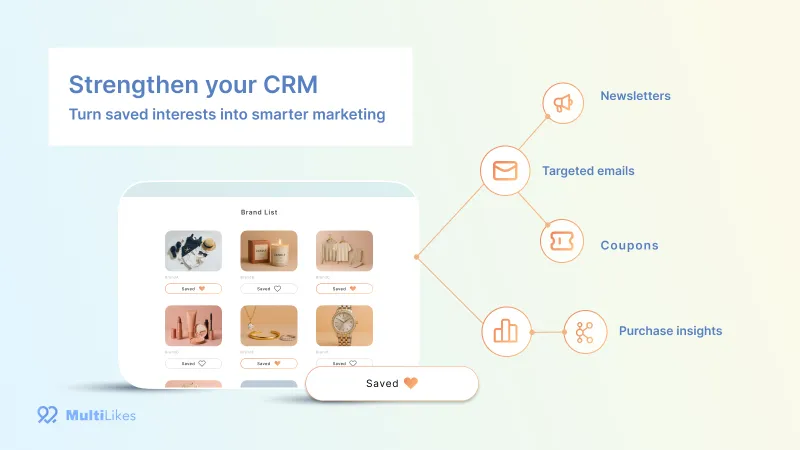
Products, brands, stores. Make favorites the starting point for your CRM.
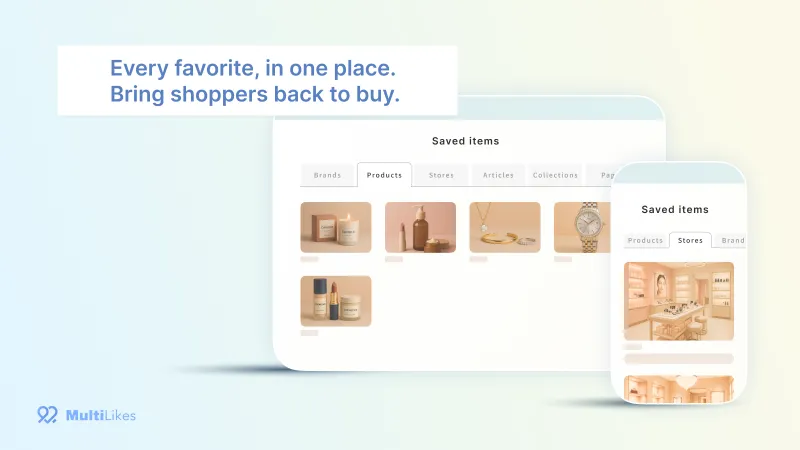
MultiLikes is a Shopify app that lets customers favorite products, collections, brands, stores, articles, and pages. Favorites are stored in customer data, so you can connect them to alerts and segmented messages with Shopify Flow.
- Products (SKU)
- Collections
- Brands
- Stores
- Articles
- Pages
*Customers must be logged in to save favorites
Why MultiLikes
What people love isn't just products.
Apps that let customers favorite products already exist, but there was no service that stores favorites for many kinds of content, including brand favorites, which large stores rely on. We built MultiLikes to gather what your customers love across the store and use it for CRM campaigns built around brands and stores.
Alerts about favorited products
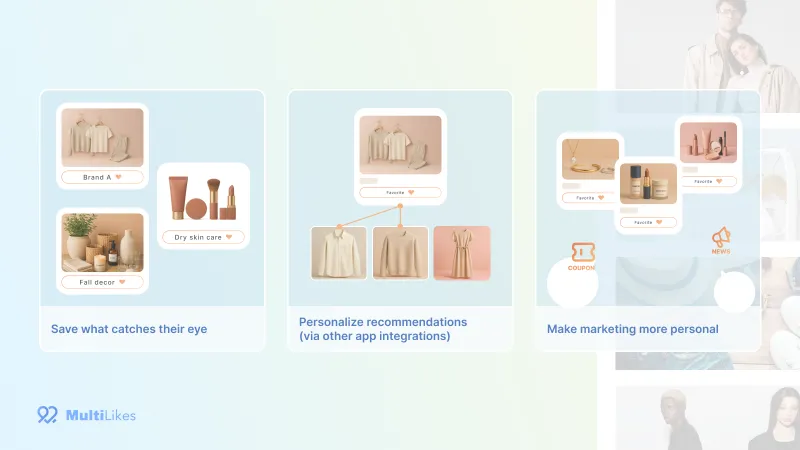
Tell only the customers who favorited a product when it is back in stock, running low, reduced in price, or going on sale.
For fans of a brand or store
Send new arrivals and exclusive coupons only to customers who favorited a store or brand.
A nudge for customers who are undecided
Give a push with a time-limited sale open only to the customers who favorited a product they haven't bought yet.
Features
Features
What can be favorited
Products (SKU)
Standard
Customers can favorite by variant, such as size or color. You can place a favorite button and the favorite count on the product page.
Brands and stores
Advance
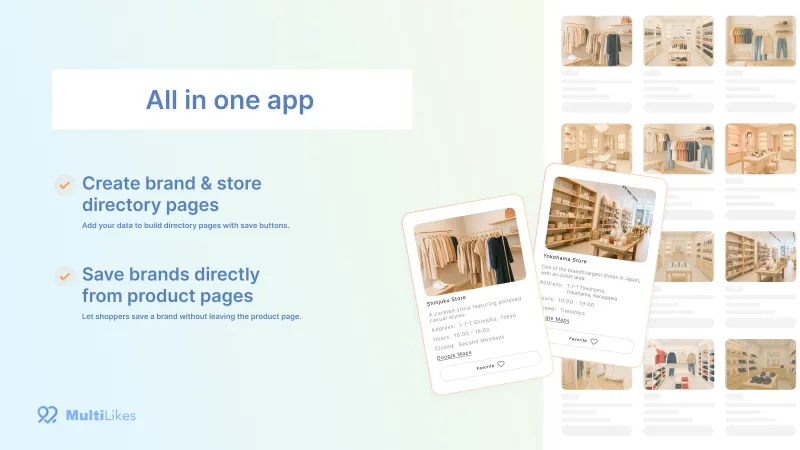
Create brand and store list pages with the app. Customers can also favorite a product's brand from the product page.
Collections, articles, and pages
Pro
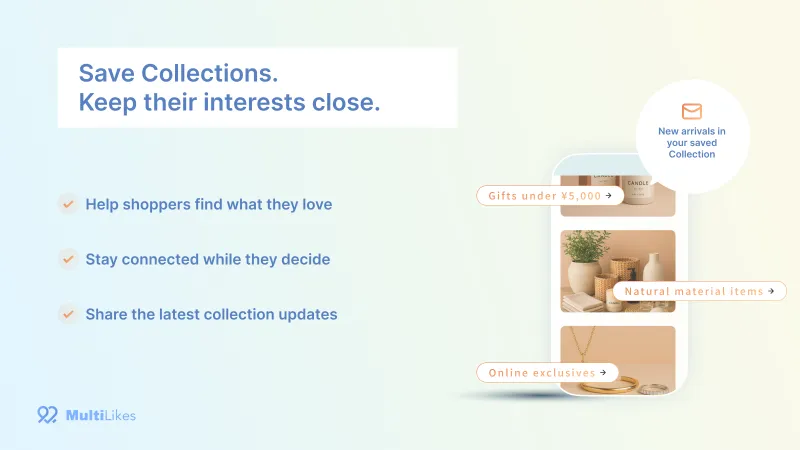
Collections, blog articles, and pages such as feature or event announcements can be favorited too.
Staff picks, outfits, and more
Enterprise
Talk to us about favorites for data specific to your business, through custom development.
Where favorites can be shown
Favorites list page
Shows favorites in tabs by type, and customers can add items to the cart from the list. The list can also be placed inside the new customer accounts screens.
Favorite ranking
Advance
Place a block that lists products by number of favorites, most first, on the home page or on feature pages.
Favorite time-limited sales
Pro
Offer a limited-time special price only to the customers who favorited a product. The discount is applied automatically at checkout.
Shown in the customer's language
The customer-facing screens and the admin support Japanese, English, French, German, Spanish, Italian, Portuguese, and Chinese (Simplified).
Alerts and analytics
Back-in-stock, low-stock, price drop, and sale start alerts
With Shopify Flow, you can notify each customer who favorited the product. Send alerts with email, SMS, push notification, or LINE apps.
New-product alerts for collections
Pro
Let customers know when new products arrive in a collection they favorited.
Favorites analytics
See favorite counts next to sales to find products that are heavily favorited but not selling. You can also export to CSV.
Google Analytics 4
See the purchases and revenue that came from the favorites list in GA4.
Integrations
Shopify Flow
Triggers that start when a favorite is added, and actions that add or remove favorites, are provided. Flow templates are available too.
Klaviyo
Send events from Shopify Flow to Klaviyo and deliver price drop, low-stock, and back-in-stock emails.
CRM PLUS on LINE
Use Shopify Flow to send back-in-stock and price drop alerts over LINE.
Appify - モバイルアプリ
Use Shopify Flow to sync favorites between your website and your own mobile app.
Discount Deck
Show exclusive coupons on the account page only to customers who favorited a store or brand.
Migrating from other favorites apps
Move data over from major favorites apps. Switching from a back-in-stock alert app is also supported.
Screens
Screens
Pricing
Pricing plans
The monthly fee is a flat rate and does not change with the number of customers or favorites. The plan decides which kinds of content can be favorited and which features you can use.
-
Standard plan
$19.99/ month
Free trial: 5 days
- Product favorites
- Favorites list page
- Back-in-stock, low-stock, price drop, and sale start alerts
- Favorites analytics
- Migrating from other favorites apps
-
Advance plan
$49.99/ month
Free trial: 5 days
In addition to the features of the plan above
- Brand and store favorites
- Favorite ranking
-
Pro plan
$99.99/ month
Free trial: 5 days
In addition to the features of the plan above
- Collection, article, and page favorites
- Favorite time-limited sales
- New-product alerts for collections
-
Enterprise plan
$799.99/ month
Free trial: None
In addition to the features of the plan above
- A dedicated support contact
- Custom development for your business
- Prices are in US dollars, included in your Shopify bill, and charged every 30 days.
- No plan limits the number of favorites that can be saved.
- Development stores (Shopify Partner test stores) are not charged.
Case Study
Stores using MultiLikes
Here are some of the stores that use MultiLikes.
- calif official website
- BEAMS SINGAPORE
- umios market
FAQ
Frequently asked questions
What can be favorited?
Products (by SKU), brands, stores, collections, articles, and pages. The plan decides which kinds are available (Standard: products; Advance: brands and stores too; Pro and Enterprise: all of them).
Can customers who are not logged in favorite items?
No. The app is designed to send alerts such as emails based on favorites, so customers must be logged in to save a favorite.
Is there a limit on the number of favorites?
No plan limits the number of favorites. What changes with the plan is the kind of content that can be favorited.
Can I try it for free?
Every plan except Enterprise comes with a 5-day free trial. Development stores are not charged.
Does it work with the new customer accounts?
Yes. You can place the favorites list inside the customer account screens as well. Favorites data and buttons are not affected by the migration.
What kinds of alerts can I send?
You can send alerts when a favorited product is back in stock, running low, reduced in price, or going on sale. On Pro and above, you can also send alerts for new products in a collection and for the start and end of a time-limited sale. Alerts use Shopify Flow plus email, SMS, push notification, or LINE apps.
Can I move over the data from the favorites app I use now?
Three major favorites apps are supported out of the box. The migration is completed on the store side and takes about 30 minutes as a guide.
Can I build favorite buttons and lists with my own design?
We publish an API reference. You can also place the button on collection pages and the cart page (this needs code editing, and we can do it for you).
Can I use it for a store that is not in Japanese?
The customer-facing screens and the admin support Japanese, English, French, German, Spanish, Italian, Portuguese, and Chinese (Simplified), and are shown in the language your customer is viewing.
What languages is support available in?
Support is available in Japanese and English. Send your message from “Contact us” under “Settings” in the app (we usually reply within 2 business days).
Get Started
Get started with MultiLikes
- 1Install it from the Shopify App Store and choose a plan
- 2Turn on the app in your theme and place the favorite button
- 3Create the favorites list page
Setup guide (Support Center) (opens in a new tab)Contact us by chat (opens in a new tab)
For favorites of data specific to your business or other special requests, please talk to us about the Enterprise plan. Contact us