Shopify App · Coupon Display
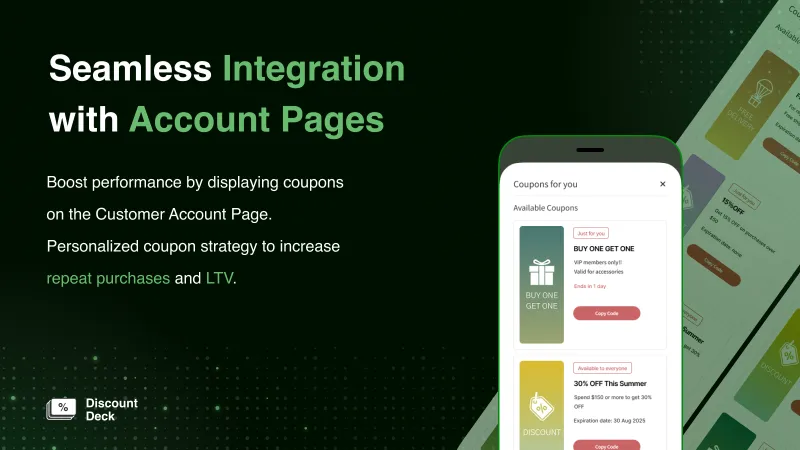
Show customers the coupons they hold, in one list on their account page.
Discount Deck is a Shopify app that lists the coupons each customer holds on the account page and cart page. Stores on Shopify Plus can show the list at checkout too.
*Display at checkout is available only for Shopify Plus stores
Why Discount Deck
You send out coupons, but you still hear this.
- “Customers forget about coupons after they receive them”
- “Customers don't know where to use the code”
- “I should have a coupon code, but I can't find it”
Coupons are one of the most effective promotions in e-commerce, but they often go unused even after customers receive them. We built Discount Deck to show each customer a list of the coupons they can use, aiming to improve the coupon redemption rate and conversion rate and to cut down on support inquiries.
Features
Features
Where coupons can be shown
- 01
Account page
With new customer accounts, the list appears on a dedicated page or inside the profile and order history pages. It can also be shown on the legacy account page with a theme app block.
- 02
Cart page
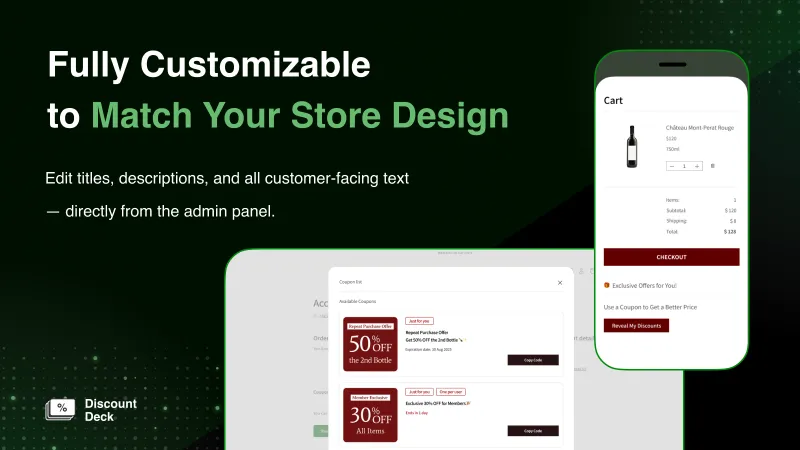
The theme app block can be placed on the cart page and on any other page that accepts app blocks. Customers copy the coupon code and enter it at checkout.
- 03
Checkout Shopify Plus
Shows only the coupons that apply to the items in the cart. When a customer presses "Apply coupon", it is applied right there.
- 04
Shown in the customer's language
The customer-facing screens support English, Japanese, French, German, Spanish, Italian, Portuguese, and Chinese (Simplified and Traditional). The coupon list is shown to logged-in customers.
What you can do in the admin
- 05
Choose which coupons to show
Code discounts you create under Discounts in Shopify appear in the coupon list, and you choose which ones to show. Automatic discounts cannot be shown.
- 06
Automatic coupon display
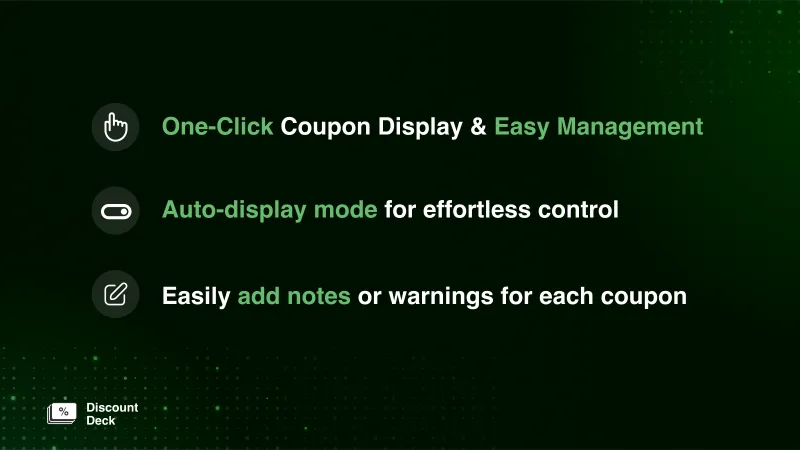
When turned on, newly issued coupons are shown with no extra steps.
- 07
Coupon codes not shown on the account page
For secret-sale or employee-discount coupons, register a word contained in the code to keep them out of the list. They are only hidden, and the coupons can still be used.
- 08
Images, descriptions, and notes
For each coupon you can set a desktop image and a mobile image, a description, and a note. When there is no image, the discount is shown as text, such as "10% OFF" or "FREE SHIPPING".
- 09
Expiration date and "Ends in N days"
Coupons are sorted by the closest expiration date first, and coupons about to expire show "Ends in N days".
- 10
Coupons for specific customers
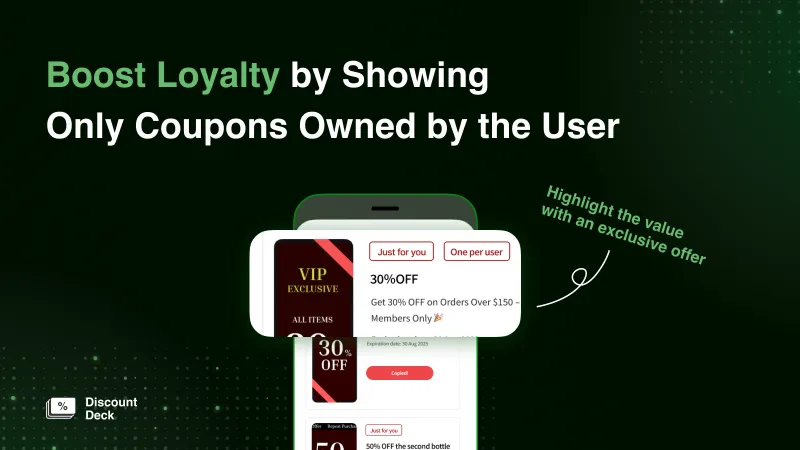
Coupons follow the eligibility of the Shopify discount (all customers, customer segments, or specific customers) and carry the labels "Available to everyone", "Just for you", and "One per user". Customers who join a segment see the coupon automatically, and it disappears when they leave.
- 11
Coupons from other apps
Coupons issued by other apps can be shown as long as they are registered as code discounts under Discounts in Shopify.
- 12
Coupon claim button Standard plan or higher
Give coupons only to the customers who press the button.
Notifications and integrations
- 13
Shopify Flow
Build flows that notify customers when a coupon is granted (anytime, or when distribution is complete) and when a coupon is about to expire. Flow templates are provided.
- 14
Klaviyo
Send the details of a granted coupon from Shopify Flow to Klaviyo and include them in the body of an email.
- 15
MultiLikes
Deliver exclusive coupons only to customers who favorited a store or brand (uses Shopify Flow and customer segments).
- 16
Appify – モバイルアプリ
The list can be shown on a webview account page. Shopify Plus stores can also show it at checkout in the app. Expiry reminders can be sent as push notifications.
- 17
VIP – 会員プログラム
Show birthday coupons and rank-up reward coupons in the list.
- 18
Shopify Sidekick
Ask Sidekick how far coupon sync has progressed, or why a coupon is not showing.
Screens
Screens
Pricing
Pricing plans
The monthly fee depends on the customer count shown under Customers in your Shopify admin. Among the paid plans, the only difference in features is the coupon claim button.
-
Starter plan
$24.99/ month
- Who can choose it
- Under 30,000 customers
- Flat fee covers
- Up to 30,000 customers
- Beyond that
- $0.0025 per customer
- Monthly cap
- $799.99
-
Standard plan
$49.99/ month
- Who can choose it
- 30,000 or more customers
- Flat fee covers
- Up to 90,000 customers
- Beyond that
- $0.002 per customer
- Monthly cap
- $799.99
Coupon claim button
-
Pro plan
$99.99/ month
- Who can choose it
- 120,000 or more customers
- Flat fee covers
- Up to 150,000 customers
- Beyond that
- $0.001 per customer
- Monthly cap
- $799.99
Coupon claim button
-
Enterprise plan
$799.99/ month
- Who can choose it
- Any number of customers
- Flat fee covers
- No limit
- Beyond that
- No usage charge
- Monthly cap
- —
Comes with a dedicated support representative, and you can also discuss custom development.
Coupon claim button
- Prices are in US dollars, included in your Shopify bill, and charged every 30 days.
- Right after installation you are on the Free plan, which costs nothing. Coupon sync and display are available on paid plans.
- Stores with 500,000 or more customers can select the Enterprise plan only.
Estimate your monthly cost from your customer count (plan simulator) (opens in a new tab)Pricing details (Support Center) (opens in a new tab)
Case Study
Stores using Discount Deck
Here are some of the stores that use Discount Deck.
- Anker Japan official online store
- Nissin Foods Group online store
- PIETRO online shop
- Salomon official online store (Japan)
- Clarks official online store (Japan)
FAQ
Frequently asked questions
Where can the coupon list be shown?
On the account page (new customer accounts and legacy account pages) and on the cart page. Stores on Shopify Plus can also show it at checkout, where it is narrowed to the coupons that apply to the cart and customers can apply one right there.
Does it work with the new customer accounts?
Yes. You can choose between a block inside the profile and order history pages and a dedicated page (we recommend the dedicated page).
Is it free to use?
Right after installation you are on the Free plan, which costs nothing. Coupon sync and display are available on paid plans (from $24.99 per month).
Which coupons are shown to which customers?
Of the code coupons you choose to show in the app, each coupon is shown to the customers the Shopify discount applies to. If you limit eligibility to a customer segment or to specific customers, you can deliver coupons that match membership tiers or purchase history.
Can coupons issued by other apps be shown?
Yes. Any coupon registered as a code under Discounts in Shopify can be shown, whichever app issued it.
I don't want secret-sale or employee-discount coupons to appear in the list.
Register a word contained in the code under "Coupon codes not shown on the customer account page" (up to 20). The coupons just stop appearing in the list, and customers who know the code can still use it.
Can automatic discounts be shown?
No. Only coupons with a code can be shown.
Can I use it for stores in languages other than Japanese?
The customer-facing screens support English, Japanese, French, German, Spanish, Italian, Portuguese, and Chinese (Simplified and Traditional), and appear in the customer's language. Any text you enter in the settings, such as the title, is shown as entered to customers in every language.
Can I change the design?
In the settings you can change how images and expiration dates are shown, the wording, and the button style. Theme app blocks can also use custom CSS. New customer accounts and checkout are screens that Shopify displays, so your theme's CSS does not apply there.
What languages is support available in?
Support is available in Japanese and English. Send your message from "Contact support" under "Settings & support" in the app (we usually reply within 2 business days).
Get Started
Get started with Discount Deck
- 01Install it from the Shopify App Store
- 02Choose which coupons to show
- 03Place the app block on your account page or cart page
If your store has many customers or you have specific requests, please talk to us about the Enterprise plan. Contact us